Bluebox APK (GP Bluestore 4.0): All 6 Retail Apps Reviewed 2027
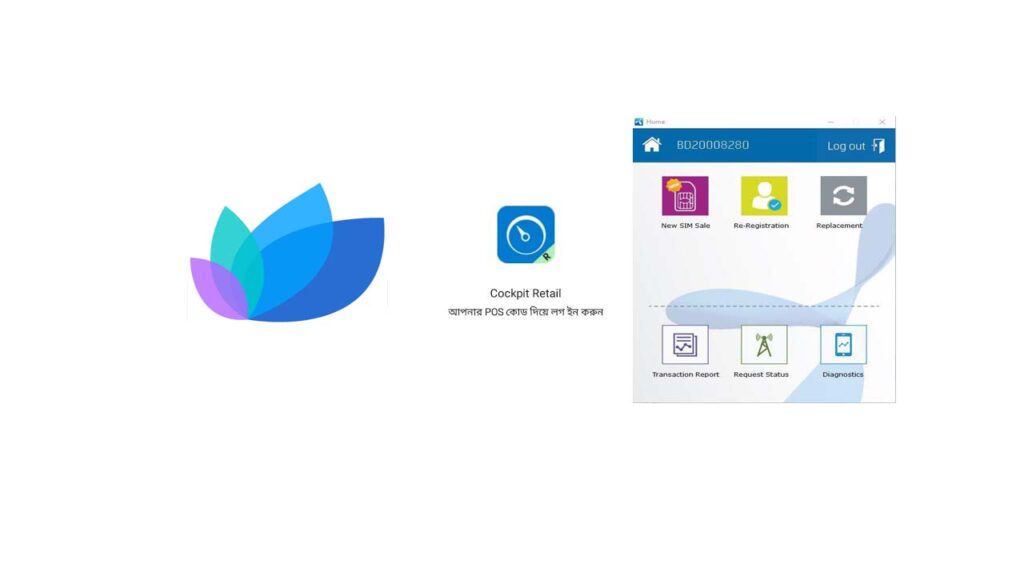
Bluebox APK, also called GP Bluestore 4.0, is the app hub Grameenphone retailers use. It holds 6 sales apps in one place: Cockpit Retail, Cockpit SE, Tcap, SkillHub, the Teletalk app and Skitto Sales. From SIM sales to Flexiload, almost every retailer task runs through one of them.
Last updated: November 2026. Screenshots taken from the app on Android.
Download Bluebox / Bluestore APK
One file installs the hub. Add the apps you need from inside it.
Download Bluebox APK
What Is Bluebox APK?
Bluebox is the name many retailers use for GP’s Bluestore app. It works like a small Play Store just for Grameenphone partners. You see each app’s installed version, the latest version, and whether an update is waiting. Install and uninstall happen on the same screen.
What’s new in version 4.0
- New, cleaner interface
- Works on almost every Android version
- Uninstall apps you don’t use
- No extra charge for the app when you have internet
The 6 Apps Inside Bluebox (Reviewed)
1. Cockpit Retail
The main app for a retailer. It handles daily sales and keeps your business numbers in one place.
- Recharge a SIM right after selling it
- ERS purchase details and sales transactions
- Campaign updates and “Amar Khushi” info
Cockpit Retail is also on Google Play.


2. Cockpit SE
Built for GP sales executives who manage retailers.
- POS-specific suggestions and SIM sale control
- SkillHub access for SEs
- Retailer bulletin, ad hoc campaigns and flash messages
- Android 10 support and bug fixes

3. Tcap
Every biometric transaction needs a fingerprint, and Tcap is what captures it. Without it, you can’t take fingerprints for SIM registration. Version 1.09 added support for more fingerprint scanner models.
Fingerprint not reading? Check that your Tcap version matches your scanner model. A wrong version is the usual cause.
4. SkillHub
GP’s training app for field force and service agents. It has training videos, quizzes and an online certificate at the end of each module. Newer versions fixed login on Android 11 and allow quiz retakes. Get your username and password from your distribution house.
5. Teletalk App
Used to provide Teletalk sales and services from the same phone.
6. Skitto Sales
Sells Skitto SIMs. The promo code option was changed to make the sale faster.


Which Bluebox App Do You Need?
| App | Who uses it | Main job |
|---|---|---|
| Cockpit Retail | Retailers | SIM sales, recharge, ERS |
| Cockpit SE | Sales executives | Retailer management |
| Tcap | Retailers | Fingerprint capture |
| SkillHub | Field force, agents | Training and certificates |
| Teletalk App | Teletalk sellers | Teletalk sales |
| Skitto Sales | Skitto sellers | Skitto SIM sales |
How to Install Bluebox APK
- Download the APK from the button above.
- Allow Install unknown apps for your browser in Android settings.
- Open the file and tap Install.
- Open Bluebox and install Cockpit Retail and Tcap first.
- Log in with the credentials from your distribution house.
Only need the hub file? See Bluestore 4.0 APK download.
How to Update Apps Inside Bluebox
- Open Bluebox while connected to the internet.
- Look at each app’s installed version next to the current version.
- If they don’t match, tap the app and choose Update.
- Open the updated app once and log in again if asked.
Update Cockpit Retail and Tcap first. An old Tcap is the most common reason fingerprints stop working after a scanner change.
Bluebox vs Installing Each App Separately
| With Bluebox | Without Bluebox | |
|---|---|---|
| Finding the right APK | All 6 apps in one list | Search for each file |
| Knowing about updates | Version shown side by side | You find out when an app stops working |
| Risk of fake apps | Lower, one trusted source | Higher, many unknown links |
| Removing unused apps | One tap | From phone settings |
Common Problems With Bluebox Apps
| App | Problem | What to do |
|---|---|---|
| Cockpit Retail | Can’t log in | Ask your distribution house to check or reset your retailer ID |
| Cockpit SE | Crashes on Android 10+ | Update to the latest version from Bluebox |
| Tcap | Fingerprint not captured | Install the Tcap version that matches your scanner model |
| SkillHub | Login fails on Android 11 | Update SkillHub; newer versions fixed this |
| Skitto Sales | Promo code not applying | Update the app; the promo code option was changed |
| Bluebox itself | “App not installed” | Uninstall the old version first, then install again |
ব্লুবক্স APK (বাংলায় সংক্ষেপে)
- ব্লুবক্স বা ব্লুস্টোর ৪.০ হলো জিপি রিটেইলারদের অ্যাপ হাব, ভেতরে ৬টি অ্যাপ আছে।
- সিম বিক্রি ও রিচার্জের জন্য Cockpit Retail, ফিঙ্গারপ্রিন্টের জন্য Tcap লাগবে।
- লগইন তথ্য ডিস্ট্রিবিউশন হাউস থেকে নিন।
Frequently Asked Questions
Is Bluebox APK the same as Bluestore?
Yes. Bluebox is the name many retailers use for GP’s Bluestore app, version 4.0.
How many apps are in Bluebox?
Six: Cockpit Retail, Cockpit SE, Tcap, SkillHub, the Teletalk app and Skitto Sales.
Why do I need Tcap?
Tcap captures fingerprints for biometric SIM registration. Without it, you cannot take fingerprints.
Where do I get my Cockpit or SkillHub login?
Your GP distribution house gives you the username and password.
Is Bluebox APK free?
Yes. The hub and the apps inside it are free to install.
Bluebox, Bluestore and Cockpit are Grameenphone apps. GSM Messages is not affiliated with Grameenphone.