Umrah Visa Check Online by Passport Number: 7 Easy Steps
Check whether your Umrah visa has been issued, see its validity and print it, using your passport number on the official Saudi portals, without depending on the agent’s word.
Umrah visa check means looking up the status of a Saudi Umrah visa online, usually with the pilgrim’s passport number plus one more detail such as the visa number, application number or first name, to confirm the visa is issued, valid and printed with the right details. It’s the quickest way to make sure your travel agent has really processed your visa.
I’m Juwel, and I write travel-document and government-service guides for Bangladeshi users on GSM Messages. Below are the official ways to check an Umrah visa by passport number, what each portal asks for, and what to do if your visa doesn’t show up.
How Do You Do an Umrah Visa Check by Passport Number?
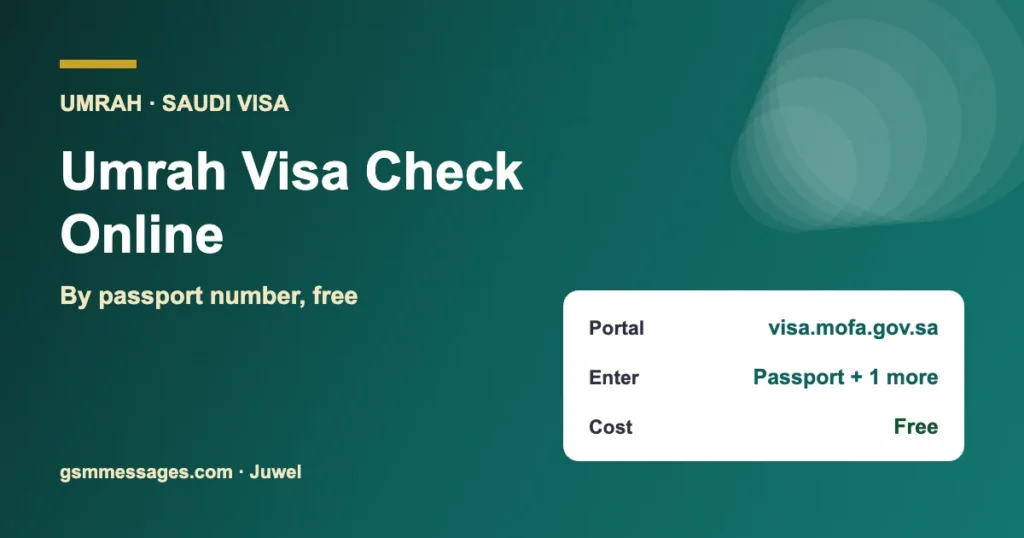
For an Umrah visa check, open the Saudi MOFA visa platform at visa.mofa.gov.sa, go to the visa inquiry section, enter your passport number plus a second detail such as your visa number, application number or first name, choose Bangladesh as nationality, fill in the captcha and press search. The visa document shows its status and validity.
The MOFA visa platform is the main official tool for checking an Umrah visa, and it works for visas submitted through authorised travel agents and Saudi missions. It normally asks for two identifiers, not the passport number alone. The KSA Visa portal lets you track with your passport number together with the application or order number.
Key takeaways
- Use only official portals: visa.mofa.gov.sa or ksavisa.sa.
- You usually need your passport number plus one more detail.
- Choose “Bangladesh” as nationality and type the passport number exactly.
- Print or save the visa PDF once it shows as issued.
- If nothing shows, ask your agency for the visa or application number.
Which Website Should You Use for an Umrah Visa Check?
| Portal | What you enter | Best for |
|---|---|---|
| MOFA visa platform (visa.mofa.gov.sa) | Passport number + visa number, application number or first name, nationality | Agent-processed Umrah visas; viewing and printing |
| KSA Visa portal (ksavisa.sa) | Passport number + application or order number | Tracking the application and viewing the visa document |
| Nusuk app or website | Your Nusuk account login | Umrah permits and bookings linked to your account |
Which Umrah Visa Check Method Fits You?
What details do you have right now?
Pick one option to see where to check.
How Do You Check an Umrah Visa on the MOFA Website Step by Step?
Open the MOFA visa platform
Go to visa.mofa.gov.sa in your browser. If the page opens in Arabic, switch the language to English with the “E” button at the top.
Find the inquiry section
Open the visa inquiry or “Inquiry” (استعلام) section on the home page.
Enter the first value
Select passport number and type it exactly as it appears in your passport, with no spaces.
Enter the second value
Choose visa number, application number or first name, whichever you have, and type it.
Choose nationality
Select Bangladesh as the nationality.
Solve the captcha and search
Type the captcha and press search. The visa document appears if it has been issued.
Check and print
Check your name, passport number, visa type and validity dates, then print or save the PDF.
What If Your Umrah Visa Doesn’t Show?
If the search shows no record, first check for typing mistakes, especially the letter O versus zero in passport numbers. Then try another second value, like your first name instead of the application number. If it still doesn’t show, the visa may not be issued yet. Ask your agency for the visa or application number and the exact date they submitted it.
Watch out: fake “visa check” pages on Facebook sometimes ask for payment or your passport photo. Checking an Umrah visa on the official Saudi portals is free, and they never need your bKash PIN or OTP.
Here’s a detail many pilgrims miss: the name on your visa must match your passport exactly, including the order of first and last names. If the spelling differs from your passport, ask your agent to correct it before travel. If your NID details also need fixing for other paperwork, see our NID card check guide.
ওমরাহ ভিসা চেক (বাংলায় সংক্ষেপে)
সৌদি পররাষ্ট্র মন্ত্রণালয়ের ভিসা প্ল্যাটফর্ম visa.mofa.gov.sa-তে যান, Inquiry সেকশনে পাসপোর্ট নম্বর এবং ভিসা নম্বর, আবেদন নম্বর বা নামের প্রথম অংশ দিন, জাতীয়তা Bangladesh বেছে নিন, ক্যাপচা দিয়ে সার্চ করুন। ভিসা ইস্যু হলে ডকুমেন্ট দেখাবে, সেখান থেকে প্রিন্ট করতে পারবেন। অনলাইনে ভিসা চেক করা ফ্রি।
Umrah Visa Check: FAQ
Can I do an Umrah visa check with only my passport number?
Usually not on the MOFA platform. It asks for a second detail, such as your visa number, application number or first name.
What is the official website for an Umrah visa check?
The Saudi MOFA visa platform at visa.mofa.gov.sa. The KSA Visa portal at ksavisa.sa can also be used with your application number.
Is the Umrah visa check free?
Yes. Checking on the official Saudi portals costs nothing.
How can I print my Umrah visa?
Once the visa appears on the MOFA platform, use the print option or save it as a PDF.
Why does my Umrah visa not show online?
It may not be issued yet, or a detail may be typed wrong. Recheck the passport number and ask your agency for the visa or application number.
Which nationality should I select?
Select Bangladesh if you hold a Bangladeshi passport.
What should I check on my Umrah visa?
Your name, passport number, visa type and validity dates should all match your passport and travel plan.
Sources
- Saudi MOFA visa platform (accessed Nov 2026)
- KSA Visa portal (accessed Nov 2026)
- Wego: Umrah visa check 2026 (accessed Nov 2026)
- Life in Saudi Arabia: Check Umrah visa status by passport number (accessed Nov 2026)
Juwel writes travel-document, NID and mobile banking guides for Bangladeshi users on GSM Messages.